Document intelligence
Turn the deal file into underwriting inputs.
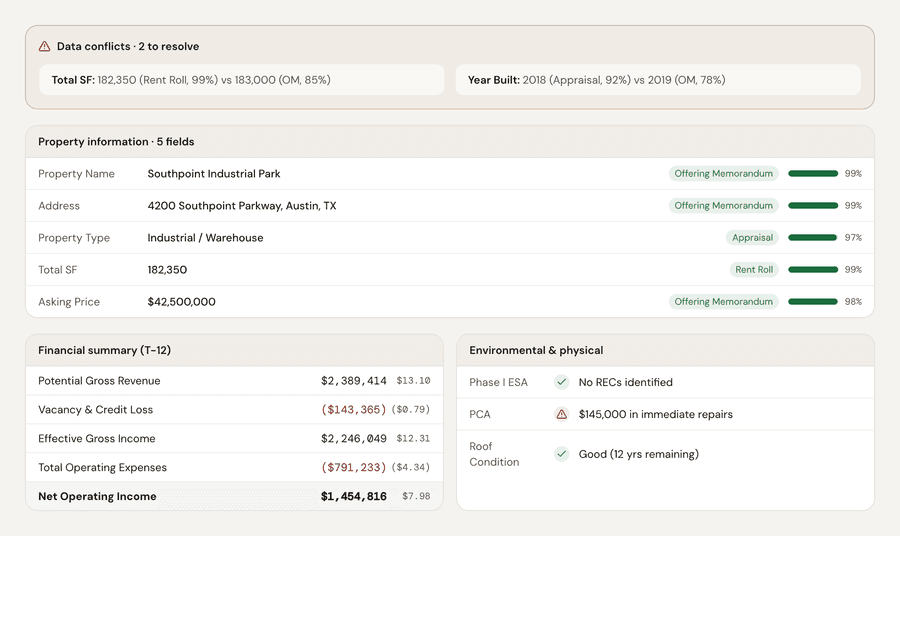
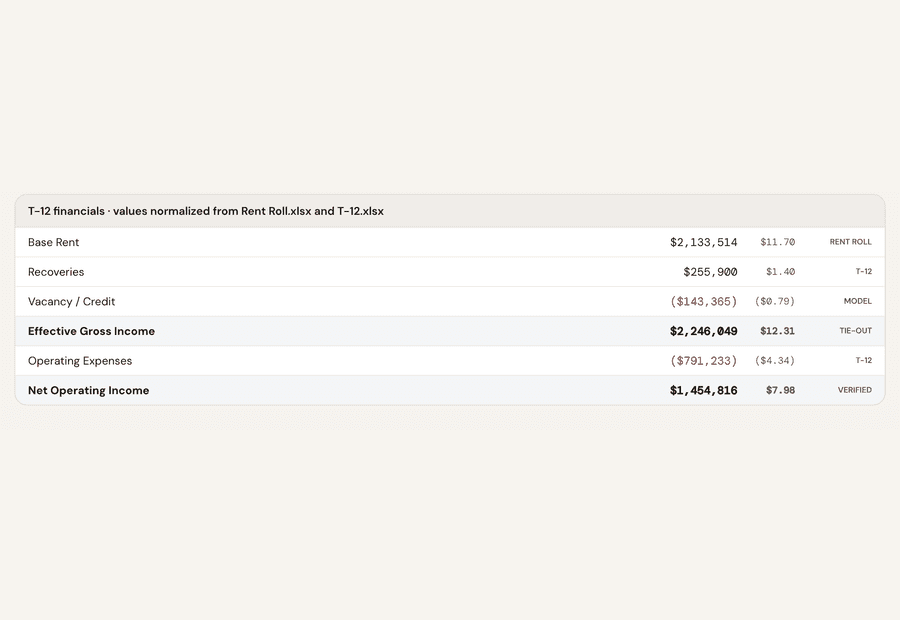
Upload the OM, rent roll, T-12, leases, and diligence files. EQUIRE abstracts the data, flags conflicts, and ties each material number to its source page.
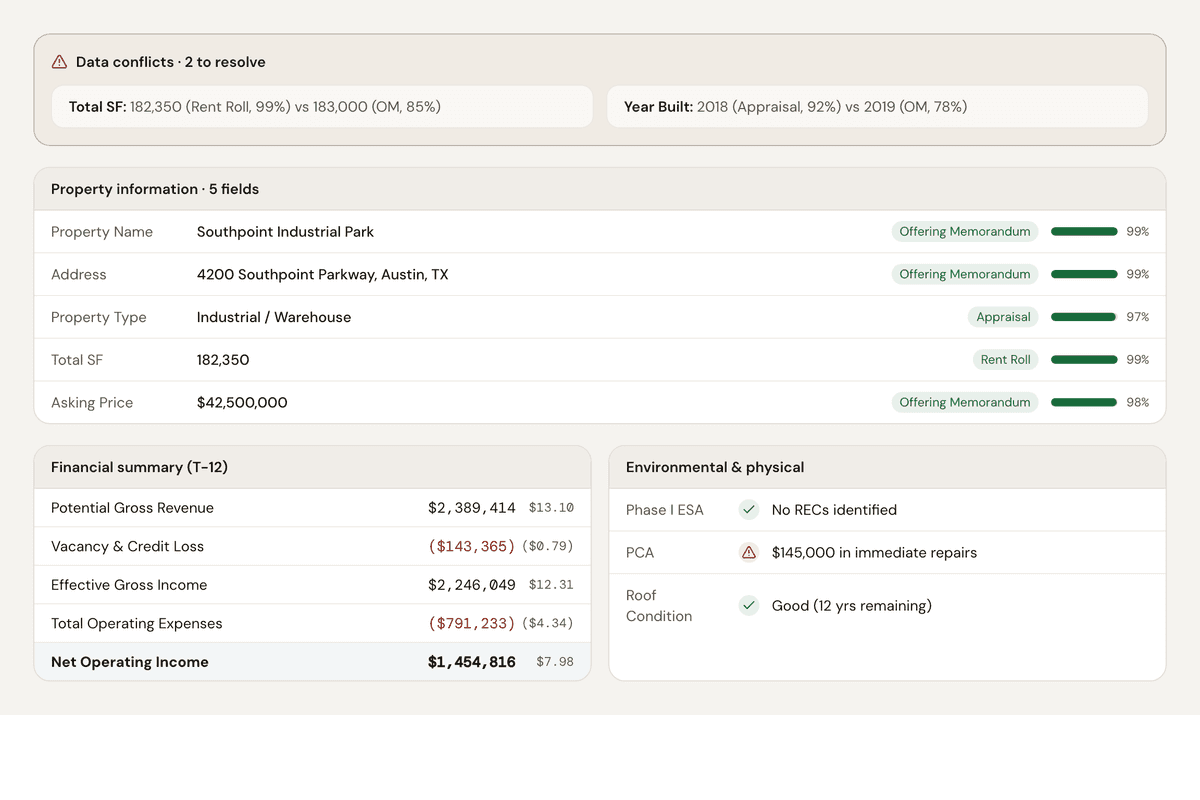
Stop re-keying deal documents. Start with structured, sourced inputs.
Read the core deal file
- Offering memorandum, rent roll, T-12, leases, and the PSA.
- PDF, Excel, and scanned documents (OCR fallback for image-only files).
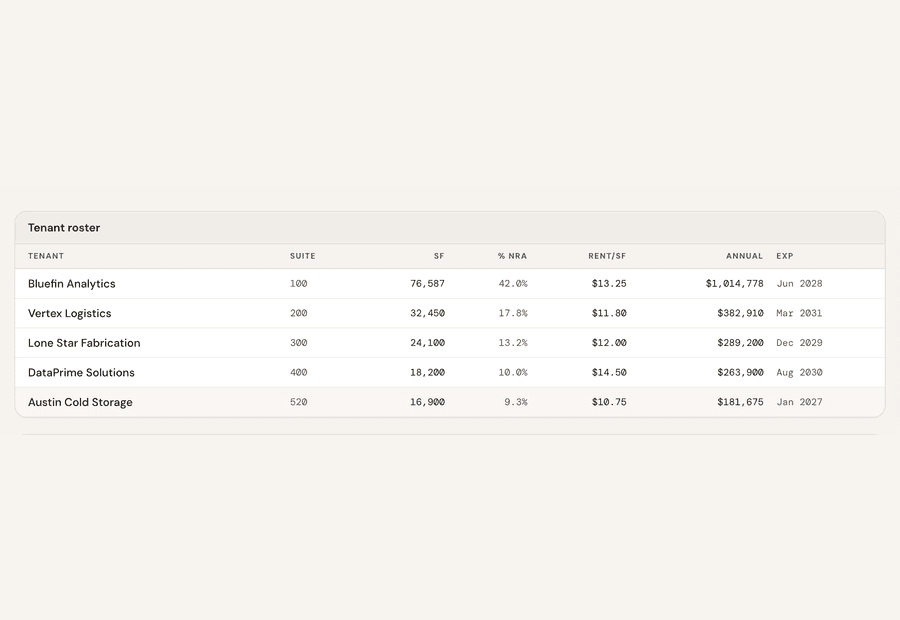
- Tenant schedules and operating statements parsed into structured tables.
Catch the conflicts
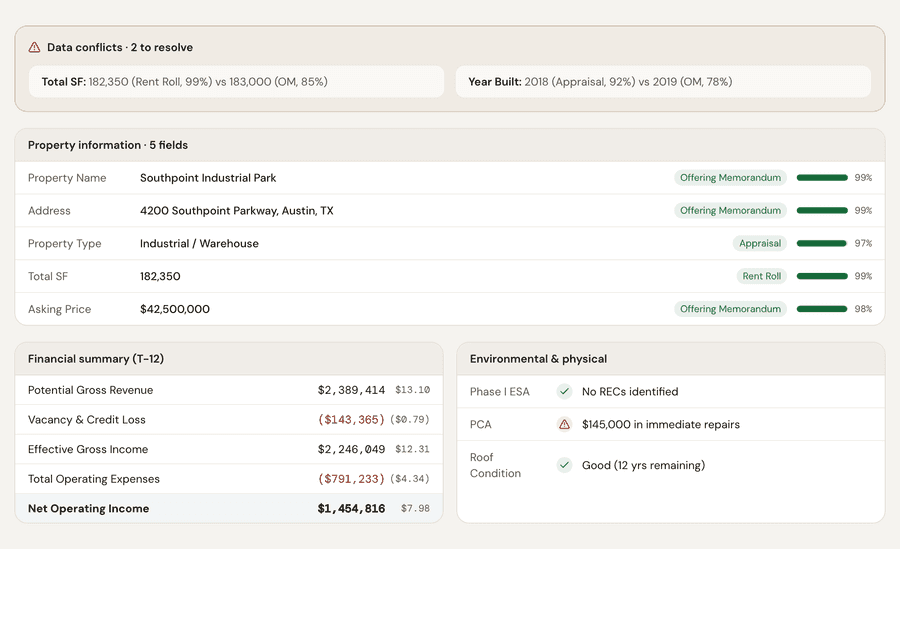
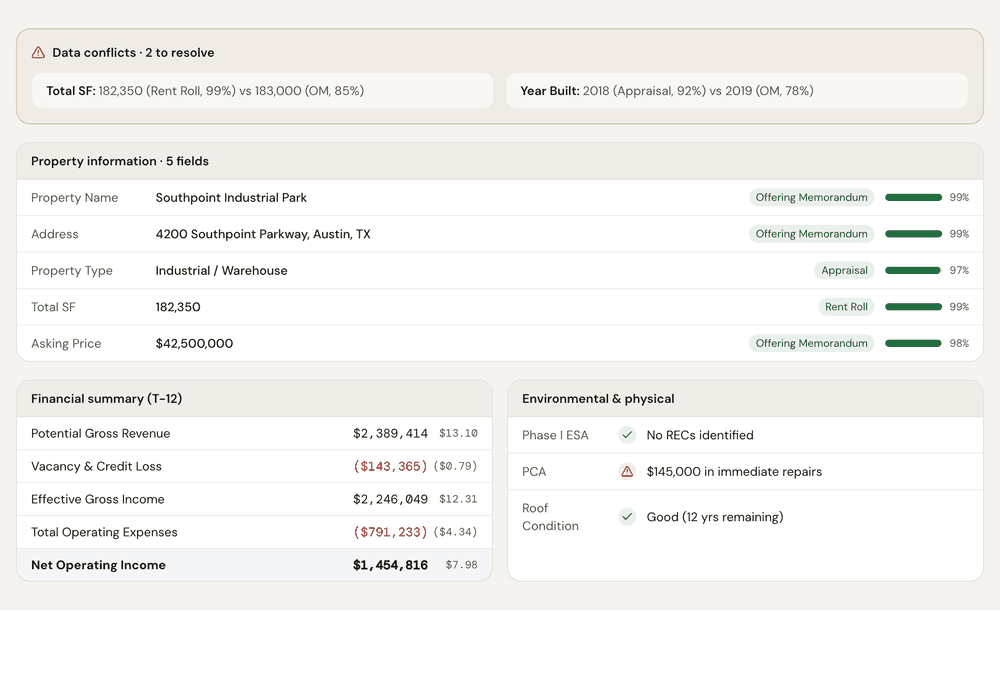
- Compares the rent roll, T-12, and appraisal for disagreements.
- Applies governing-source rules so the right document wins.
- Surfaces multi-source conflicts for review instead of silently picking one.
Every number tied to its source
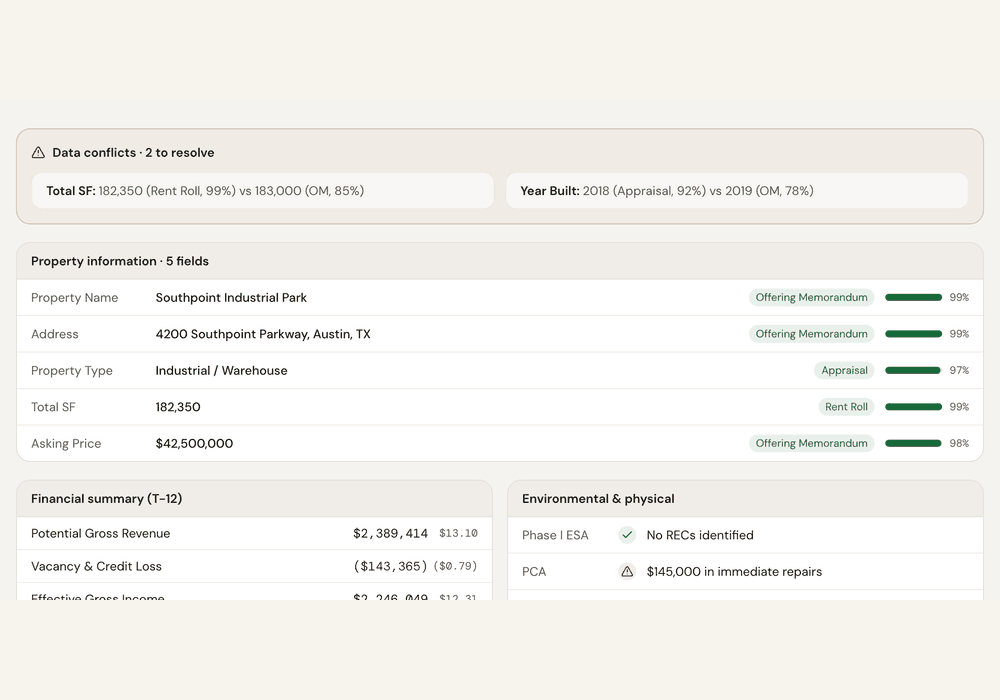
- Click any value to see the source document and page it came from.
- Provenance pills mark whether a value is doc-extracted, analyst, or user-entered.
- Rounded OM figures are flagged before they become governing data.
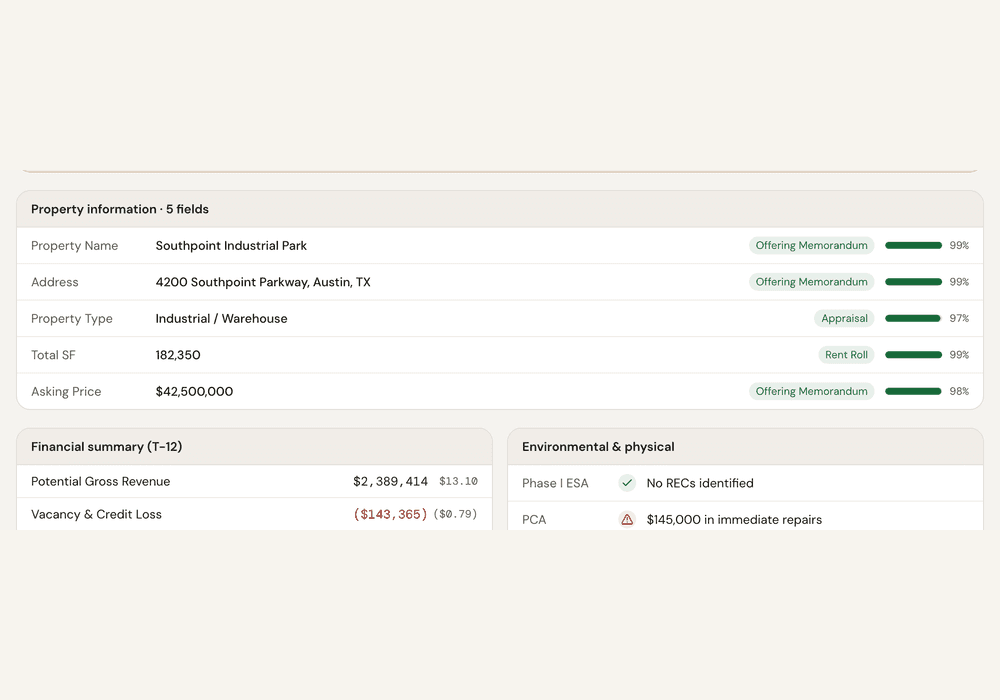
“Why does the rent roll show 182,350 SF but the OM shows 180,000?”
The rent roll is the governing source — 47 suites total 182,350 SF; the OM's 180,000 SF is a rounded number.
“Resolve using the rent roll” clears the conflict in the deal record.
100%
Material numbers tied to source
8
Common deal file types
11
Deal stages connected
4
Decision-ready outputs
See it on a deal